Bring your decks
Upload PPTX or PDF from the tools you already use.

Presentations, made active
Turn a prompt, document, PDF, or URL into a presentation—then deliver it live in In-Person Mode or remotely with Agent Mode.
Start free · No credit card required
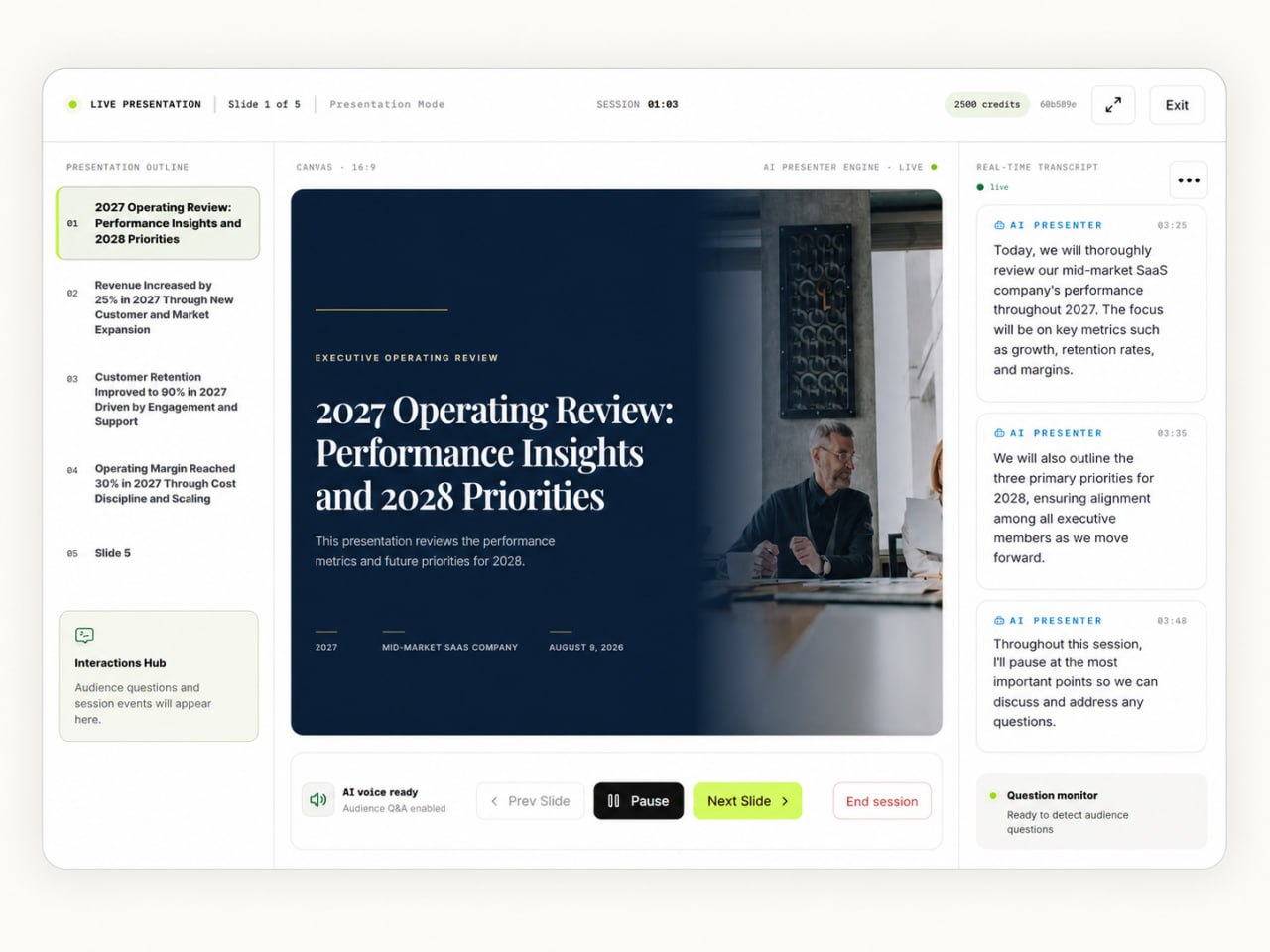
AI Presenter Agent joins meetings on



FROM SOURCE TO SLIDES
Start from what already exists. The workflow keeps the source, outline, design, and delivery choices in one focused place.
01 · ADD SOURCE
Create an eight-slide launch presentation for a new analytics workspace. Keep it concise, practical, and useful for a customer meeting.
02 · REVIEW OUTLINE
ReadyPRESENTATION EXPERIENCES
Present from your own screen with In-Person Mode, or let AI Presenter join and lead a supported online meeting with Agent Mode.
02 / AGENT MODE
Use the AI Presenter Agent to deliver the presentation experience when that mode fits the session.



THE AI PRESENTER AGENT
AI Presenter follows the presentation flow and keeps the material in context while the session is active.
SLIDE TOOLS
 Google Slides
 PowerPoint
 Gamma
Gamma Canva
Canva Beautiful.ai
 Prezi
Prezi Pitch
Pitch Slideworks
 Decktopus
 Claude
 ChatGPT
 Perplexity
 OpenClaw
 Hermes Agent
CREATE ANYWHERE · PRESENT HERE
Bring your PPTX or PDF from the slide tools you already use. Upload it to AI Presenter, and let the AI deliver the presentation live, explain the slides, and answer audience questions.
Upload PPTX or PDF from the tools you already use.
AI Presenter delivers the deck, explains the slides, and follows the story live.
AI Presenter responds in context and keeps the presentation moving.


AI PRESENTER MCP
Compatible AI agents can use authorized MCP access to interact with the AI Presenter tools currently available to your account—without sharing your password.
01Authorized request
“Create a presentation from the approved product brief and prepare it for review.”
02AI Presenter MCPaccount-scoped
EVERY KIND OF PRESENTATION
USE CASES
Use AI Presenter for customer conversations, internal knowledge, onboarding, and education in person or online.
Keep the product story clear while AI-powered tools support the presentation experience.
Turn approved source material into a structured presentation experience.
Build from prompts, documents, PDFs, or supported URLs.
Use current account-scoped MCP tools without sharing your password.
CONNECTED WORKFLOW
Sources, presentation modes, AI actions, and authorized MCP access stay connected without adding unsupported third-party claims.
IMPORTANT DISTINCTION
Plan session allowances control how often a mode can run. Credits power configured AI actions inside the workflow.
PRICING
Every plan includes the core SlideSpoken workflow. Choose the credits, AI voice sessions, and slide capacity that match how often you present.
AGENT MODE MEETING INTEGRATIONS
Compatibility is shown explicitly—never implied.Google MeetSupportedMicrosoft TeamsSupportedZoomSupportedAnnual prices are shown as the total billed annually—not a monthly equivalent.
FULL PLAN COMPARISON
Shared capabilities are marked clearly; numerical allowances show where plans differ.
PRICING & CREDITS
Your monthly plan allowance renews with each entitlement period. Purchased credits are a separate, non-expiring balance.
PLAN CREDITS
PURCHASED CREDITS
EXAMPLE USAGE
This example keeps variable interactions separate so it never implies a false total.
QUESTIONS, ANSWERED
Plan allowances, presentation modes, and credits—without the fine-print fog.
Compare plans ↗Credits are the usage unit for AI-assisted actions such as generating a presentation, creating voice audio, session summaries, and PowerPoint exports.
Yes. Starting a session uses the current published session-start credit rate shown above. Your monthly session allowance also applies, while AI actions used inside the session may consume additional credits.
Your plan includes a monthly credit allowance for the current billing period. Account-specific renewal, rollover, or additional-credit options should follow the terms displayed in your billing workspace.
Compatible agents connect through authorized, account-scoped MCP access. You should never give an AI agent your AI Presenter password. See the MCP setup guide.
Create it, then deliver it with In-Person Mode or Agent Mode.
Free plan · $0 · 15 credits per month